 Brainwrite Swift Docs
Appearance
Loop Data Block
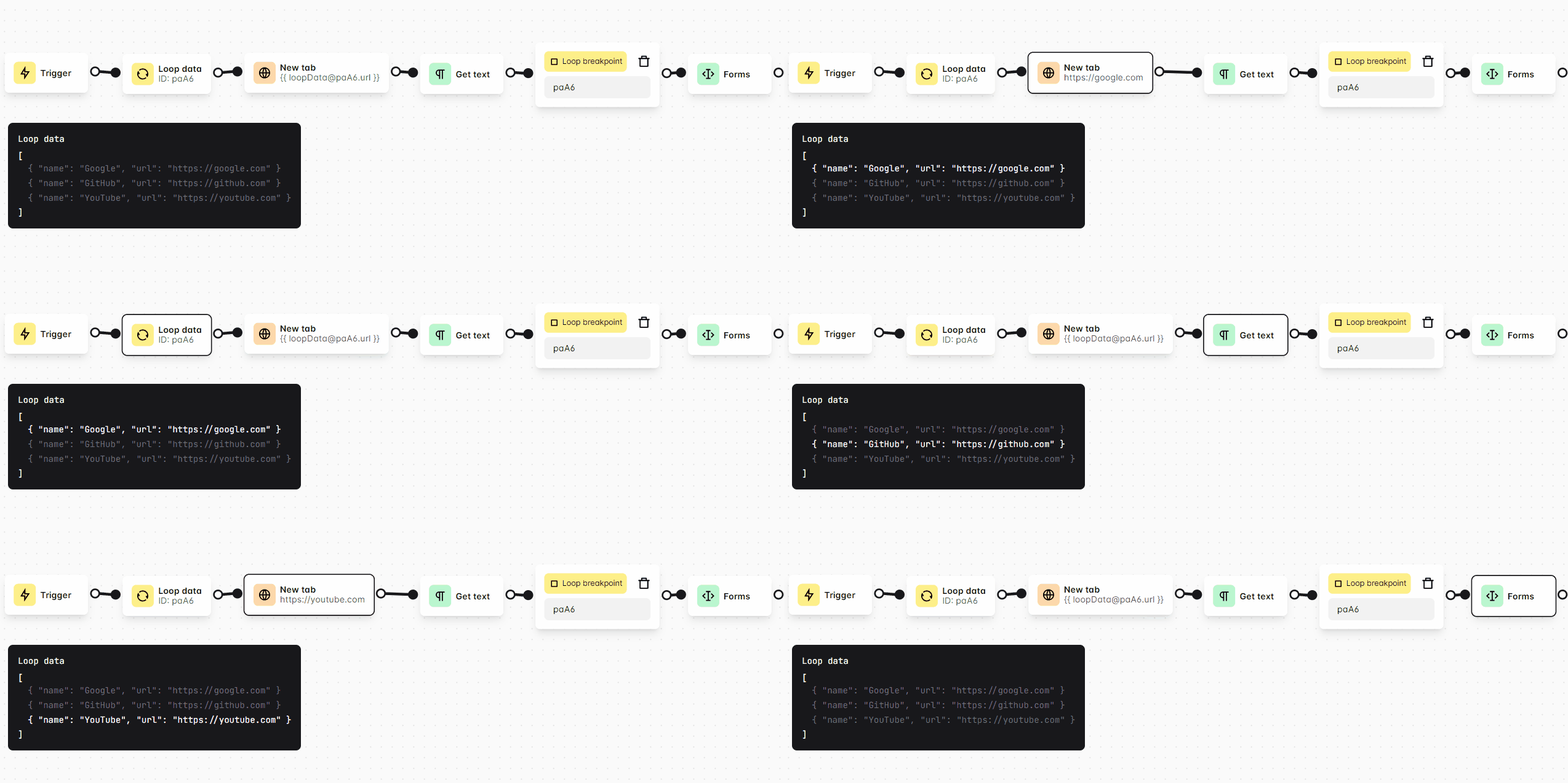
You can use this block when you want to do looping through data.
Loop Through
Select which data that you want to loop, you can select between the table, numbers, Google Sheets, elements, variable, or custom.
When using the custom data option, make sure you write array data type with JSON syntax.
Example
json
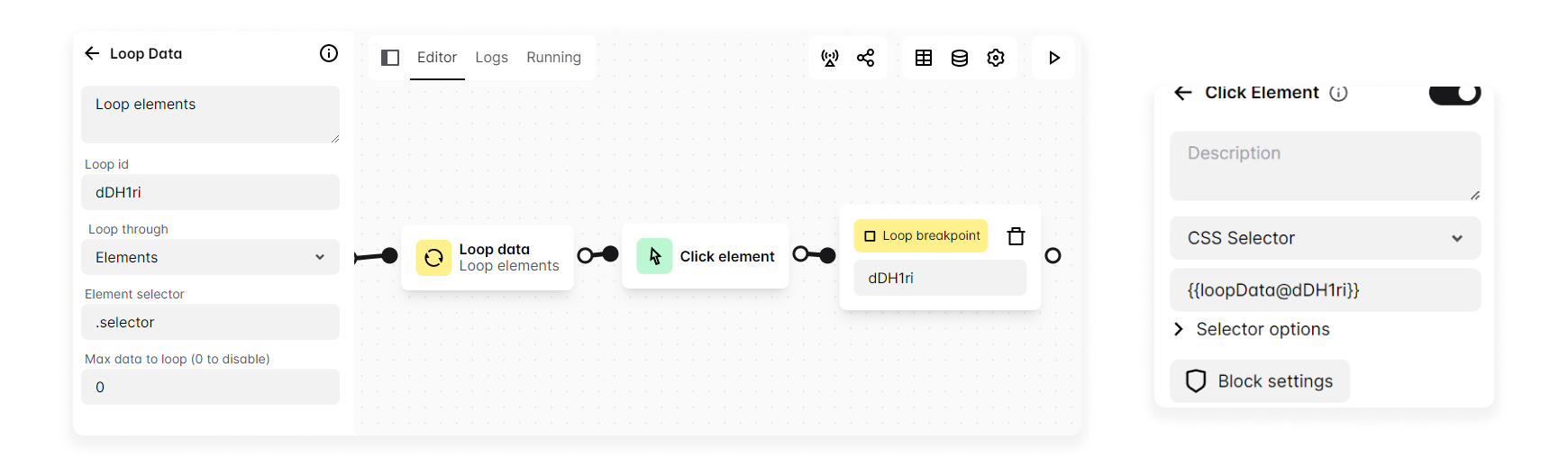
["one", "two", 3, 4, { "key": "value" }]["one", "two", 3, 4, { "key": "value" }]And when you select the elements options, Brainwrite Swift will return an array of selectors of the elements that match the selector you inputted. And you can use the loop data block like below.
Loop ID
ID to identify the loop. Use this Id when you want to access loop data inside expressions or when using the Loop Breakpoint block.
Max data
Set the limit of data to loop.
Also see: Looping